



TickPick - Live Event Tickets review
 Analysis by GetAllApps
I’d use TickPick when I have a particular concert, game, or theater show in mind but want to compare ticket options before committing. The app is built around browsing live events and finding seats, with the cost of a ticket being a central part of that decision. That makes it more useful than a simple event calendar, though it still rewards a little patience: the first appealing listing isn’t automatically the right choice for your budget or preferred view.
In my experience, the best way to approach TickPick is as a shopping tool rather than a promise that every event will have a bargain. It is a free events app from TickPick LLC, rated for Everyone, and it has a 4.8 average from around 61,000 ratings. It has also passed five million installs, which gives it a substantial audience among people looking for live-event tickets.
Start with the event, then compare the seats
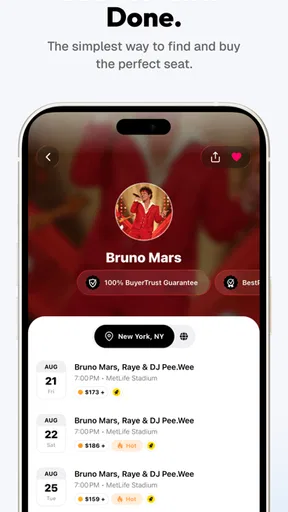
The basic workflow is straightforward: find an event you care about, look through the available ticket choices, and weigh the price against where you would actually want to sit. That last part matters. A lower amount is not much of a win if the location makes the event less enjoyable, while paying more can be worthwhile when being closer or having a better view is important to you.
I find this approach especially helpful when plans are flexible. If I know I want to go to a concert but haven’t settled on a specific date or seat, browsing upcoming events gives me room to compare possibilities before asking friends to commit. For a theater outing, I’d first decide whether I care more about the particular performance or the location of the seats, then compare listings with that priority in mind.
For sports, the same habit helps keep enthusiasm from taking over the decision. I’d pick a budget before browsing, then look for an option that fits it rather than treating every nearby seat as an upgrade worth paying for. If I’m buying for a group, I’d also check that the choices make sense together before moving ahead; a low individual price is less useful if it doesn’t suit the group’s seating needs.
A realistic use case is a weeknight when a friend suggests a game at short notice. I would open the app, search for the event, compare the available choices against my spending limit, and send my friend a couple of sensible options instead of saying yes to the first one I see. That simple pause can turn ticket shopping into a shared decision rather than a rushed purchase.
Use a repeatable comparison habit
My most useful tip is to compare like with like. Keep the event fixed while you assess the seating and price, rather than switching between different dates, venues, and seat areas all at once. If you change several things together, it becomes difficult to tell whether a cheaper option is genuinely better value or simply a different experience.
It also helps to decide what “good enough” means before you start. For one event, that might be staying below a firm budget; for another, it might be choosing a seat that makes a long performance easier to enjoy. Once I have that rule, I can stop browsing when I find an option that meets it instead of endlessly chasing a hypothetical better deal.
Check the practical details before you settle
Ticket shopping is not only about the headline price. Before choosing, I’d look carefully at the event and seating information displayed for the listing and make sure it matches what I intended to buy. This is especially important when searching quickly on a small screen: it is easy to focus on a price and overlook a detail that changes whether the option suits your plans.
For a group purchase, I’d confirm the number of seats and whether the arrangement works for everyone before treating a listing as a real candidate. For a solo visit, I’d be more willing to prioritize a price that fits my limit. These are simple checks, but they prevent a common mistake: comparing options as if every ticket were interchangeable.
Settings and habits that make browsing calmer
I would start by checking the app’s available preferences and device settings, then keep only the choices that make event browsing easier for me. I wouldn’t assume there is a particular alert, shortcut, or filter unless I can see it in the current app. A useful general habit is to allow a little time to explore the controls before a time-sensitive purchase, rather than learning the layout while trying to make a decision.
If I’m researching rather than buying immediately, I’d make a short list of the events I’m considering and revisit them with the same budget and seating priorities. That gives me a consistent basis for comparison. If I’m ready to purchase, I’d review the selected event and ticket details once more before completing the process, especially if I have switched between listings while browsing.
On a phone, a small routine can be more useful than trying to move quickly: search for the event, narrow the choices by what matters to you, compare a few plausible options, and pause before confirming. This is not a special TickPick feature; it is a practical way to use any ticket marketplace without letting a fast-moving screen push you into a choice you haven’t considered.
Where it stands against other ways to buy
Compared with checking an event venue’s own ticket channel, TickPick is more appealing when you want to browse several ticket possibilities in one place. A venue’s own channel may be the simpler route if you already know exactly what you want and prefer to deal directly with that source. I’d use the app when comparison is the point, and choose another route when my priority is a specific official purchase path.
Compared with a general event-discovery app, TickPick is more focused on the ticket decision itself. A calendar or social feed can be better for stumbling across something new, while this app makes more sense once I’m thinking about attending and want to assess available choices. I wouldn’t rely on it as my only way to discover local happenings if broad, casual exploration is the main goal.
Its free price makes it easy to try as part of that process, but free to download does not mean every ticket will fit every budget. I’d still judge each option on its own terms and read what is shown before buying. The app is most valuable when it helps me make a more informed choice, not when I expect it to remove the trade-offs that come with popular events or limited seating.
Limits worth keeping in mind
Ticket availability and the appeal of a listing depend on the event and the choices on offer. If I have a very specific seat, date, or price in mind, I may find that the available options do not match it. In that situation, I would widen my preferences if I can, or check another ticket source rather than forcing a purchase that doesn’t suit the plan.
Another limitation is that comparison takes attention. Browsing can feel less useful if I already know my exact choice and simply want to complete a purchase through a particular venue or seller. The app is also not a substitute for deciding what matters most to you: price, seat position, event timing, and going with other people can point toward different choices.
For anyone wondering whether it works for occasional use, I think it can. You don’t need to be a regular concertgoer to benefit from comparing options for a single show. Frequent attendees may get more value from developing a repeatable routine across events, while someone who buys tickets rarely can simply use it as a second place to check before deciding.
A polished tool, with sensible expectations
The current version is 6.0.25, and the app has been available since November 6, 2014. Those details suggest a long-running product rather than a newly launched experiment, but I would still judge it by how clearly the current event and ticket choices answer my needs. Its strong average rating and large audience are reassuring context, not a guarantee that every event will have the right seat or price for me.
I’d recommend TickPick to people who compare before buying, especially those choosing between concerts, sports, and theater outings. It is a good fit if you want to browse ticket choices with a budget in mind and are willing to check the details rather than tap the first tempting option. I’d skip it as my main tool if I only want broad event discovery, need a specific purchase channel, or have no flexibility around the seat and date.
My verdict is that TickPick works best when paired with a clear limit and a consistent comparison routine. Decide what matters, compare a manageable set of options, and verify the selection before committing. That approach makes the app useful without treating a low price as the whole story, and it gives both occasional ticket buyers and regular event-goers a practical way to shop more deliberately.
Pros and cons
Pros
- Shows the total ticket price upfront with fees included.
- Interactive seat maps help compare locations in the venue.
- Ticket listings can be sorted by price or seat location.
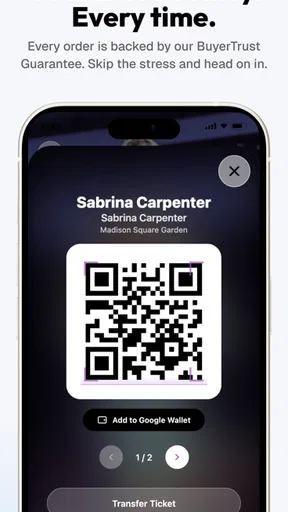
- The app supports mobile ticket delivery for many events.
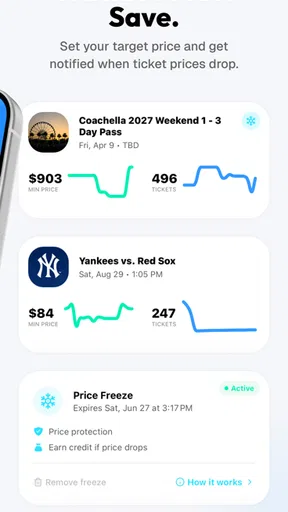
- Users can track events and get alerts about ticket changes.
Cons
- Ticket availability and prices can change quickly.
- Some tickets may require additional steps before entry.
- Event coverage can vary by city and venue.
- Refund options depend on the event and ticket terms.
- Customer support may be slower during major events.


